fix on
US /fɪks ɑn/
・UK /fɪks ɒn/
B2
phr.v.To choose or decide on something or someone.
The teacher fixed on the student to answer the question.
Video subtitles
Why Americans are OBSESSED with Starbucks

- And this might seem like an arbitrary or obvious part of the story, but being able to get your fix on the way to work or when you go out of town cannot really be understated here.
And this might seem like an arbitrary or obvious part of the story, but being able to get your fix on the way to work or when you go out of town cannot really be understated here.
- but being able to get your fix on the way to work or when you go out of town cannot really be understated here.
but being able to get your fix on the way to work or when you go out of town cannot really be understated here.
Kobe Bryant Spin Move: Basketball Moves
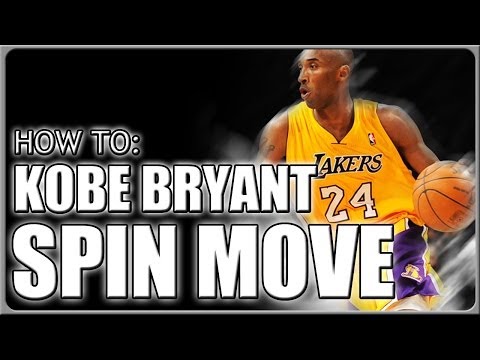
- on what you need to fix on your jumper. I'm not just saying it when I say I have been
on what you need to fix on your jumper. I'm not just saying it when I say I have been
- The smart sensor basketball gives you real-time cues what you need to fix on your jumper.
The smart sensor basketball gives you real-time cues what you need to fix on your jumper.
YouTube Complaints 2013!
- now it's just stuck at 301 plus. I thought that was a pretty clever fix on our part. why
now it's just stuck at 301 plus. I thought that was a pretty clever fix on our part. why
- I thought that was a pretty clever fix on our part.
I thought that was a pretty clever fix on our part.
How to INSTANTLY Fix Gemini 'Nano Banana' Aspect Ratio Problems When Creating Images
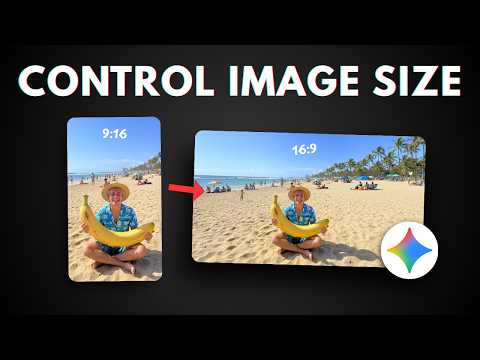
- So not even Google knows how to fix this problem apparently but there is actually a general fix on how you can create a picture or edit a picture with a specific aspect ratio and the way to do that is basically to provide a blank picture let's say you want to get a 16 by 9 aspect ratio picture you have to create a blank or empty picture with 16 by 9 aspect ratio and then use that to reference or to guide Gemini about the ratio that it needs to produce so it is actually quite a reliable way to get a correct aspect ratio but the problem is that you have to create multiple different pictures with depending on the aspect ratios that you want to get so you have to use Photoshop or maybe some other third-party tool to be able to create those blank pictures but actually there is a simple way to get that kind of file using Gemini AI and here's how you can do that so let's go to Gemini first and basically we want to create an app that can produce some blank pictures based on any aspect ratio so this is the prompt that you can use and don't worry I'm going to provide the prompt in the video description down below it's a very long prompt because again we want to create an app so click tools click create sorry click canvas and just send the message now depending on what or when you're watching this video it could be there could be a different version of Gemini and therefore the app might look a bit different but basically it should be still serving the same purpose which is allowing you to create some transparent PNG pictures with blank content but you can specify the aspect ratio so I'm going to wait for a bit it should be able to create the tool any second now it is actually quite a simple tool and there you go so the tool has been created and it looked like this again the interface or the UI could be different but more or less the function is the same so here I can select the aspect ratio like 1 to 1 4 by 3 3 by 2 16 by 9 and 21 by 9 but I can also manually select the aspect ratio now in this case I want to create a 16 by 9 aspect ratio picture so I'll select this and then click download PNG and as you can see I have this file there is essentially empty there is nothing here it's just a fully transparent picture there is no info about it except for the aspect ratio now we are ready to use this file to guide Gemini Nano Banana so let's go to Gemini again and I will try to edit this picture sorry to create this picture again which is a photorealistic picture of a frog riding a train in the 1950s I'm going to copy it now I'm going to paste that into this and I'm going to upload that transparent sorry that blank picture it is actually transparent I'm going to click it click open so it's just nothing there just no info about it and this is the extra instruction that you must provide when creating a picture don't worry I'm going to provide you the guide on how you can edit a picture using this technique now click tools click create images and send the message so you will see that it is not creating a vertical or square picture anymore it is going to be a 16 by 9 or horizontal aspect ratio picture so I'll wait still generating the image it should be done any second now okay there you go so the picture is definitely not square not vertical it is actually horizontal although there is this black bar but it's easy to fix and you can also just redo the process and maybe the next iteration will give you a complete picture but overall it is not it is following the proper it is following the instruction the instruction which is creating the picture based on the aspect ratio that we provided now how about editing a picture so it's actually quite simple and I will try edit this picture again the cat and I'm going to add a red hat to the cat so I'm going to go back to Gemini I'm going to upload this picture and now I guess I have to download oh sorry I still have that transparent for us sorry about that I still have that blank transfer and file okay and if I don't have to you know download another file now I'm going to this again upload files and then select that transparent picture the blank picture and this is the prompt that I will use make the cat wear a red hat just this prompt and paste that and this is the extra instruction that I'm going to provide to Gemini and don't worry all the prompts should be available in the video description down below including the prompt to create the PNG picture generator so this is the prompt use the second picture as the reference for final aspect ratio and fill the area that wasn't shown in the original picture click tools click create images and send the message so it's not basically you can specify it could be a second third fourth or maybe the first picture depending on the order when you are uploading the picture to edit the so in this case the second picture was actually their transparent picture and that's why I said it is a second picture okay just wait and there you go so this is not a crop picture is actually the details that are created by Gemini because again the original picture sorry the original picture look like this and yeah it is vertical and now we have a original picture so that's basically how I can fix Gemini not banana unable to create a picture based on the specified aspect ratio again all the prompts should be available in the video description down below thank you so much for watching and I'll see you on my next video have a great day
So not even Google knows how to fix this problem apparently but there is actually a general fix on how you can create a picture or edit a picture with a specific aspect ratio and the way to do that is basically to provide a blank picture let's say you want to get a 16 by 9 aspect ratio picture you have to create a blank or empty picture with 16 by 9 aspect ratio and then use that to reference or to guide Gemini about the ratio that it needs to produce so it is actually quite a reliable way to get a correct aspect ratio but the problem is that you have to create multiple different pictures with depending on the aspect ratios that you want to get so you have to use Photoshop or maybe some other third-party tool to be able to create those blank pictures but actually there is a simple way to get that kind of file using Gemini AI and here's how you can do that so let's go to Gemini first and basically we want to create an app that can produce some blank pictures based on any aspect ratio so this is the prompt that you can use and don't worry I'm going to provide the prompt in the video description down below it's a very long prompt because again we want to create an app so click tools click create sorry click canvas and just send the message now depending on what or when you're watching this video it could be there could be a different version of Gemini and therefore the app might look a bit different but basically it should be still serving the same purpose which is allowing you to create some transparent PNG pictures with blank content but you can specify the aspect ratio so I'm going to wait for a bit it should be able to create the tool any second now it is actually quite a simple tool and there you go so the tool has been created and it looked like this again the interface or the UI could be different but more or less the function is the same so here I can select the aspect ratio like 1 to 1 4 by 3 3 by 2 16 by 9 and 21 by 9 but I can also manually select the aspect ratio now in this case I want to create a 16 by 9 aspect ratio picture so I'll select this and then click download PNG and as you can see I have this file there is essentially empty there is nothing here it's just a fully transparent picture there is no info about it except for the aspect ratio now we are ready to use this file to guide Gemini Nano Banana so let's go to Gemini again and I will try to edit this picture sorry to create this picture again which is a photorealistic picture of a frog riding a train in the 1950s I'm going to copy it now I'm going to paste that into this and I'm going to upload that transparent sorry that blank picture it is actually transparent I'm going to click it click open so it's just nothing there just no info about it and this is the extra instruction that you must provide when creating a picture don't worry I'm going to provide you the guide on how you can edit a picture using this technique now click tools click create images and send the message so you will see that it is not creating a vertical or square picture anymore it is going to be a 16 by 9 or horizontal aspect ratio picture so I'll wait still generating the image it should be done any second now okay there you go so the picture is definitely not square not vertical it is actually horizontal although there is this black bar but it's easy to fix and you can also just redo the process and maybe the next iteration will give you a complete picture but overall it is not it is following the proper it is following the instruction the instruction which is creating the picture based on the aspect ratio that we provided now how about editing a picture so it's actually quite simple and I will try edit this picture again the cat and I'm going to add a red hat to the cat so I'm going to go back to Gemini I'm going to upload this picture and now I guess I have to download oh sorry I still have that transparent for us sorry about that I still have that blank transfer and file okay and if I don't have to you know download another file now I'm going to this again upload files and then select that transparent picture the blank picture and this is the prompt that I will use make the cat wear a red hat just this prompt and paste that and this is the extra instruction that I'm going to provide to Gemini and don't worry all the prompts should be available in the video description down below including the prompt to create the PNG picture generator so this is the prompt use the second picture as the reference for final aspect ratio and fill the area that wasn't shown in the original picture click tools click create images and send the message so it's not basically you can specify it could be a second third fourth or maybe the first picture depending on the order when you are uploading the picture to edit the so in this case the second picture was actually their transparent picture and that's why I said it is a second picture okay just wait and there you go so this is not a crop picture is actually the details that are created by Gemini because again the original picture sorry the original picture look like this and yeah it is vertical and now we have a original picture so that's basically how I can fix Gemini not banana unable to create a picture based on the specified aspect ratio again all the prompts should be available in the video description down below thank you so much for watching and I'll see you on my next video have a great day
- But there is actually a general fix on how you can create a picture or edit a picture with a specific aspect ratio.
But there is actually a general fix on how you can create a picture or edit a picture with a specific aspect ratio.
The Power of Simplicity
- And then, at some point, we may sense and aspire to the real challenge of life: to dare to sound, to some, like an idiot, to fix on certain basic truths that we've always known, to edit down our calendars, to wear only what's comfortable, to put in front of others the same sort of basic foods we like when we're alone, to have relationships solely with those who know how to be direct, to leave our days more or less free apart from one or two elementary pleasures like tending to a garden, having a bath, or going for a walk, to limit our reading to books we can understand,
And then, at some point, we may sense and aspire to the real challenge of life: to dare to sound, to some, like an idiot, to fix on certain basic truths that we've always known, to edit down our calendars, to wear only what's comfortable, to put in front of others the same sort of basic foods we like when we're alone, to have relationships solely with those who know how to be direct, to leave our days more or less free apart from one or two elementary pleasures like tending to a garden, having a bath, or going for a walk, to limit our reading to books we can understand,
- To fix on certain basic truths that we've always known.
To fix on certain basic truths that we've always known.
China's strategy to tackle critical growth challenges | DW News
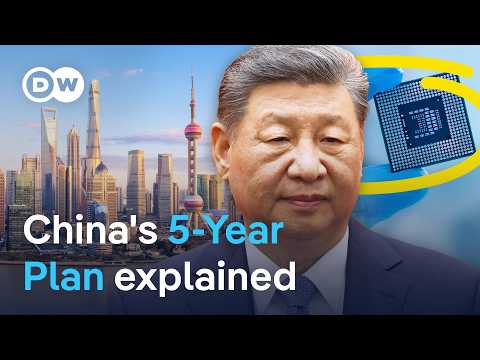
- and the Five-Year Plans provide an insight into the arcane black box of economic planning in China that can give us a fix on how the leadership intends to steer the economy and project China's power worldwide.
and the Five-Year Plans provide an insight into the arcane black box of economic planning in China that can give us a fix on how the leadership intends to steer the economy and project China's power worldwide.
- They can give us a fix on how the leadership intends to steer the economy and project China's power worldwide.
They can give us a fix on how the leadership intends to steer the economy and project China's power worldwide.
I Ate at 7-Elevens Across Asia

- So if you are in need of a quick veggie fix on your travels, I would recommend.
So if you are in need of a quick veggie fix on your travels, I would recommend.
- So if you are in need of a quick veggie fix on your travels, I would recommend I do feel some leaves, but
So if you are in need of a quick veggie fix on your travels, I would recommend I do feel some leaves, but
Alice's Adventures in Wonderland Audiobook by Lewis Caroll, Complete, Full cast & Unabridged
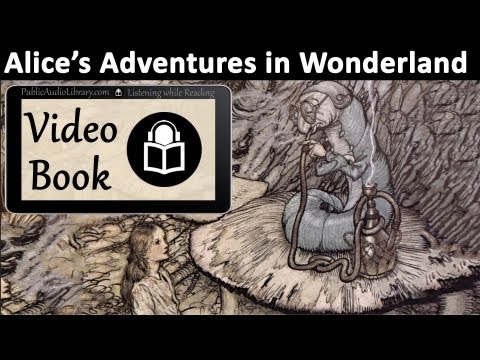
- While she was trying to fix on one, the cook took the cauldron of soup off the fire and at once set to work throwing everything within her reach at the Duchess and the baby.
While she was trying to fix on one, the cook took the cauldron of soup off the fire and at once set to work throwing everything within her reach at the Duchess and the baby.
- introduce some other subject of conversation. While she was trying to fix on one, the cook
introduce some other subject of conversation. While she was trying to fix on one, the cook
Alice's Adventures in Wonderland Audiobook by Lewis Carrol
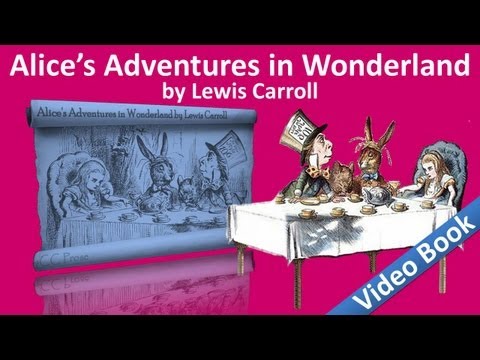
- While she was trying to fix on one, the cook took the cauldron of soup off the fire,
While she was trying to fix on one, the cook took the cauldron of soup off the fire,
- While she was trying to fix on one, the cook took the cauldron of soup off the
While she was trying to fix on one, the cook took the cauldron of soup off the
美國卡車休息站 【英字 available】(歷史頻道)
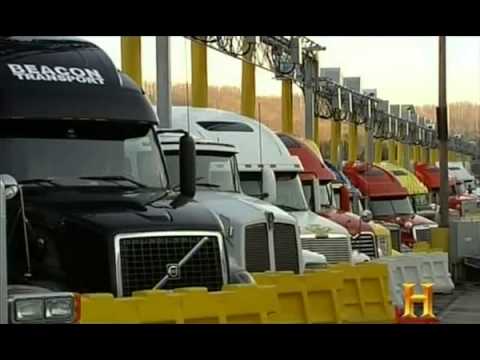
- With innovative tech like this available at truck stops, drivers can get a quick fix on their rig and keep on rolling.
With innovative tech like this available at truck stops, drivers can get a quick fix on their rig and keep on rolling.
- drivers can get a quick fix on their rig and keep on rolling.
drivers can get a quick fix on their rig and keep on rolling.